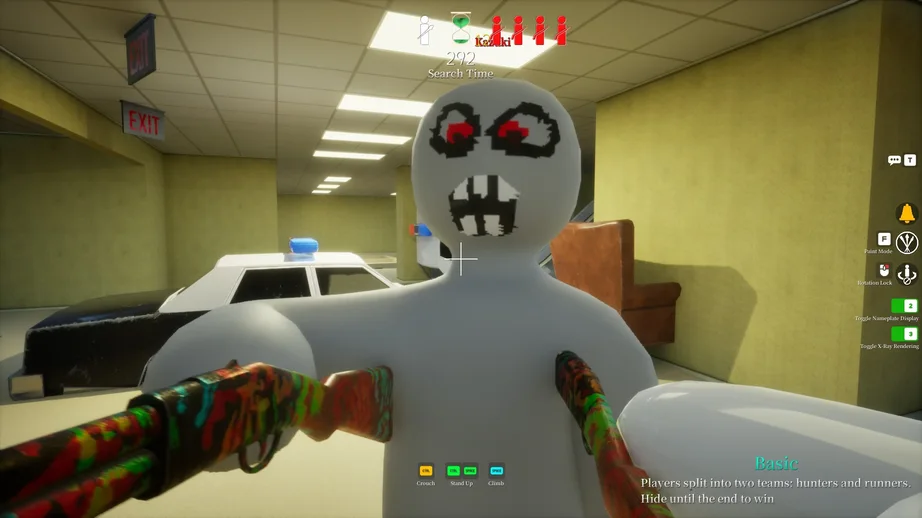
In this guide, I cover the main seeker and hider tech I have found so far, including wallkicks, midair slams, map clipping warnings, and painting menu tricks.
MECCHA CHAMELEON Guide – Seeker and Hider Tricks
MECCHA CHAMELEON is a hide-and-seek game built around camouflaging, chasing, and tricking your friends. Even though the controls are simple, I found that the game has several strange movement and painting quirks that can be used for stylish plays, better hiding spots, and more creative clips.
Before getting into the actual tech, there are a few basic things I always check if I cannot join my friends. First, I make sure I selected the correct region tag. Then, I check that the lobby name and password are capitalized correctly. Finally, I confirm that the right player number is selected.
Now, onto the tech.
Seeker Tech
The Wallkick
The Wallkick is one of the strangest seeker movement tricks I have found in MECCHA CHAMELEON. In certain tight spaces, the game can launch me away from a wall at extremely high speed.
One example is in the Backrooms map, inside a small gap between some washers and the ceiling, near the signs above it. When I jump into this kind of space, I can get pushed away from the wall very quickly. I call this the Wallkick because of how it looks and because it can sometimes be semi-chained.
This is also possible with the piano in Hide-and-Seek Mansion.
To attempt the Wallkick, I look for a gap where my head would touch the ceiling. When I jump into the gap, the game should force me back out. From there, it is possible to chain the effect, although the exact method is still unclear.
I will add more uses for the Wallkick as I experiment with it more.
The Slam
Crouching while in midair works like a pseudo-fastfall. This lets me drop faster than normal, which may have some use when combined with the Wallkick.
At the moment, I am still testing how useful this is, but it is worth knowing that midair crouching can change how quickly I fall.
Never Do This. Only Villains Go For That.
It is possible to clip out of the map in some corners, but I do not recommend doing this.
Clipping out of bounds does not really help, because it usually puts me under the map. When that happens, I cannot properly seek until the game respawns me back in.
If this ever becomes useful for clipping between rooms, that would be evil villain behavior, so I still recommend avoiding it.
Hider Tech
The Painter’s Arsenal
The painting menu is much more powerful than it first looks. It is not just a basic customization tool; it also works like a form of meta progression for better hiding.
The strongest tool in most situations is the color picker. By pressing Spacebar, I can pick colors from anything based on the in-engine color. This makes it extremely useful for copying the exact colors of walls, shadows, or nearby objects.
If I need a more precise color, I can use the HSV sliders in the top-left corner. These sliders give me more control when I want to fine-tune a camouflage color.
I can also rotate the camera with middle mouse to pick colors from farther away. This is especially useful when I am hiding behind something. Picking colors from the front side of an object, where the light hits it, can make it easier to get a more accurate color for the back side as well.
The biggest painting feature, however, is themes. I can save full color palettes as separate themes, which means I can create different palettes for each map or even for specific objects. This makes it much faster to access useful colors during future games.
With enough map knowledge and painting skill, it is possible to speedrun some very strong paint jobs.
More tech will be added later as I discover and test more tricks.