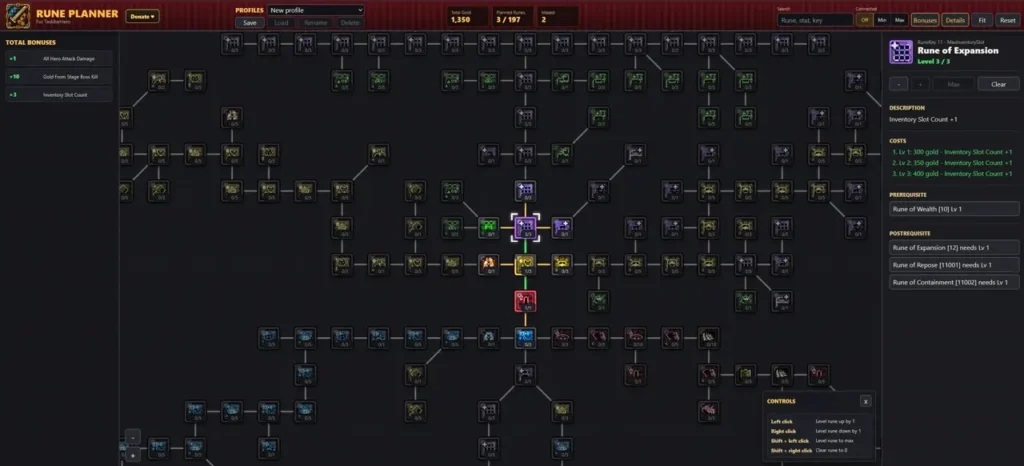
TBH: Task Bar Hero Rune Planner

Finding the best rune path in TBH: Task Bar Hero can be difficult when you cannot easily see the entire rune tree in-game. I use the Rune Planner to explore every available rune, calculate upgrade costs, compare different builds, and determine whether a specific branch is worth investing in before spending any gold. It is a useful tool for planning long-term progression and optimizing rune investments.
TBH Rune Planner

The TBH: Task Bar Hero Rune Planner is an interactive tool that allows me to view and plan my rune progression outside the game.

With the planner, I can examine the complete rune tree and evaluate different upgrade routes before committing resources. It provides detailed information about rune levels, gold requirements, dependencies, descriptions, and cumulative bonuses.

Features of the Rune Planner

The planner includes several useful features for rune management and build planning:
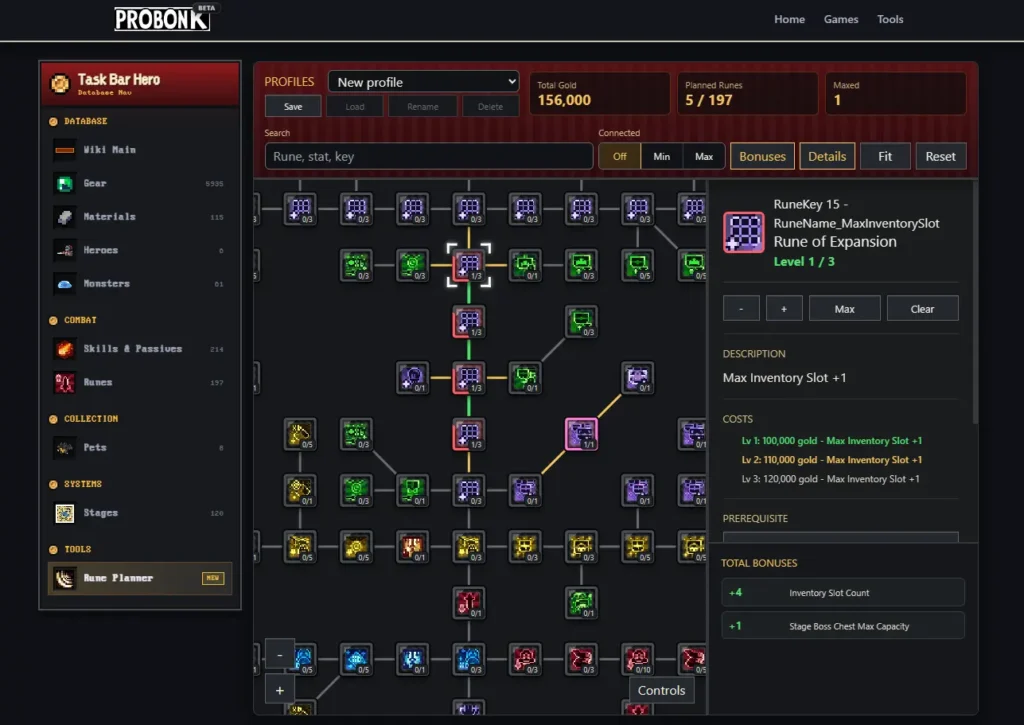
  • Preview the full rune tree layout
  • View rune levels and upgrade paths
  • Check total gold costs for selected upgrades
  • See rune prerequisites and postrequisites
  • Read detailed rune descriptions
  • Track total bonuses gained from selected runes
  • Compare different upgrade strategies
  • Save multiple profiles locally in the browser
  • Use the planner without creating an account

Rune Details

The planner displays detailed information about each rune, allowing me to understand exactly what benefits it provides before investing resources.

Hover Information

By hovering over runes, I can quickly access additional details and better understand how each upgrade fits into my planned build.

Total Bonuses

The planner automatically calculates the combined bonuses from all selected runes, making it easy to evaluate the overall effectiveness of a build.

runner total bonuses

How to Use the Rune Planner

The planner supports several controls for managing rune upgrades and navigating the tree:

  • Left Click: Increase a rune level by 1
  • Right Click: Decrease a rune level by 1
  • Shift + Left Click: Upgrade a rune to its maximum level
  • Shift + Right Click: Reset a rune to level 0
  • Mouse Wheel: Zoom in or out
  • Hold Left Mouse Button and Drag: Move around the rune tree

Connected Options

The planner includes three Connected settings:

  • Off
  • Min
  • Max

These options determine whether prerequisite runes are automatically added when planning upgrades. This makes it easier to test different progression paths and understand the true cost of reaching specific runes.

I use the Rune Planner to avoid wasting gold on inefficient upgrade paths. By checking costs, requirements, and total bonuses in advance, I can create multiple builds, compare them side by side, and decide which route best supports my progression goals before making any in-game investments.

Scroll to Top