
In The Lantern of the Laughless Saint, I can use the Nerve Console to access a wide range of commands for my character, items, magic, world, NPCs, quests, and game settings. In this guide, I cover all currently included console commands and the available spell IDs.

Console Commands
I open the Nerve Console by pressing the BACKTICK key (`), which is located in the top-left area of most US and UK layout keyboards.
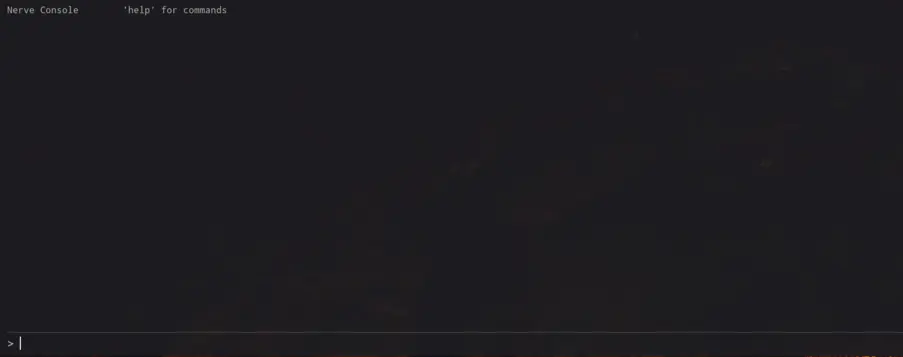
While I am using the console, commands normally target me unless the command specifically requires an NPC or object. For these commands, I can click the NPC or object while the console is open. In many cases, I can also use the player-> prefix before the command.
Table of Contents
General Commands
- help – Lists all available commands in the Nerve Console. I can also use help COMMAND | CATEGORY to get specific information.
- clear – Clears previous commands and output from the console.
- history – Displays my recently used commands.
Player Commands
- tgm – Toggles god mode, making me immune to damage. I can also use god or togglegodmode.
- tcl – Toggles collision and allows me to walk through walls. While active, I can currently move along the X and Z axes but not the Y axis. I can also use noclip.
- heal – Restores my health, magic, and stamina to full. This is a single-use heal, so I need to enter it again when necessary. I can also use fillstats.
- sethealth <value> – Sets my maximum and current health to the entered value.
- setmagic <value> – Sets my maximum and current magic to the entered value.
- setstamina <value> – Sets my maximum and current stamina to the entered value.
- speed <multiplier> – Applies a multiplier to my current movement speed. For example, speed 5 applies a 5x multiplier. I can also use setspeed.
- notarget – Toggles whether enemies can see me. When active, enemies do not attack me, although their AI remains active and they continue to exist and move around.
- showstats – Displays the stats of the currently selected entity in the console. If nothing is selected, it displays my stats. I can also use getstats.
- resurrect – Brings the targeted corpse back to life, including my own character.
Progression Commands
- addxp <value> – Gives my character the amount of XP I enter. I can also use givexp.
- setlevel <value> – Sets my character level by granting the XP required to reach that level. This also grants the skill and perk points that would normally be obtained.
- setskill <name> <level> – Sets a selected skill to the entered level. The skill names are written exactly as they appear in the skills menu.
I can use the following skill commands:
- setskill onehanded <value>
- setskill twohanded <value>
- setskill spears <value>
- setskill unarmed <value>
- setskill archery <value>
- setskill blocking <value>
- setskill armor <value>
- setskill sorcery <value>
- setskill channeling <value>
- setskill psionics <value>
- setskill acrobatics <value>
- setskill sprinting <value>
- setskill swimming <value>
- setskill sneak <value>
- setskill lockpicking <value>
- setskill pickpocket <value>
- setskill alchemy <value>
- setskill fishing <value>
I can set skills to any value between 0 and 2147483647. Setting a skill directly does not grant the XP that would normally be earned.
- listskills – Displays all skills and levels, including the trained level and effective level. The effective level also includes gear and racial bonuses.
- addskillpoints <value> – Adds skill points to my character. Values between 0 and 2147483647 can be used.
- addperkpoints <value> – Adds perk points to my character. Values between 0 and 2147483647 can be used.
- grantperk <perk> – Adds the named perk to my character without its normal requirements. I need to enter the perk name exactly as written, including spaces. I can also use hf_grantperk.
- removeperk <perk> – Removes a perk from my character. This does not refund any perk points used to obtain it. I can also use hf_removeperk.
- listperks – Lists all perks and shows whether my character currently owns each one. I can also use hf_listperks.
Item Commands
- additem <item> [amount] – Adds the selected item to my inventory or my target’s inventory.
- removeitem <item> [amount] – Removes the selected item from my inventory or my target’s inventory.
- gold <amount> – Adds gold to my inventory or the target’s inventory. A negative value removes gold. I can also use addgold.
- spawnitem <item> [amount] – Spawns the selected item in the world so I can pick it up instead of adding it directly to an inventory. I can also use placeitem.
- listitems [filter] – Lists item names that can be used with additem and spawnitem. I can enter a word as a filter to find matching item names.
- listweapons [filter] – Lists weapons usable with additem and spawnitem.
- listbows [filter] – Lists weapons usable with additem and spawnitem.
- listapparel [filter] – Lists weapons usable with additem and spawnitem.
- listshields [filter] – Lists shields usable with additem and spawnitem.
- listpotions [filter] – Lists potions usable with additem and spawnitem.
- listingredients [filter] – Lists potions usable with additem and spawnitem.
- listfood [filter] – Lists food usable with additem and spawnitem.
- listbooks [filter] – Lists books usable with additem and spawnitem.
- listspelltomes [filter] – Lists spell tomes usable with additem and spawnitem.
- listammo [filter] – Lists ammunition usable with additem and spawnitem.
- listquestitems [filter] – Lists quest items usable with additem and spawnitem.
I cannot provide a complete item ID list because listitems only displays items currently loaded in the immediate area. Without datamining or a test locale with all items loaded, I do not have access to every available item ID.
Magic Commands
- addspell – Adds the named spell to my character. I can also use learnspell.
- removespell – Removes the named spell from my character. I can also use forgetspell.
- listspells [all] – Lists the spells currently known to my character. Using listspells all displays all available spells.
World Commands
- travel <place> – Teleports me to a named place. I can also use goto or tpto.
- listplaces – Lists named places that can be used with travel. I can also use listpois.
- tp <x> <y> <z> – Teleports the selected entity to the entered coordinates. I can also use setpos.
- getpos – Displays the coordinates of the currently selected target.
- fixme – Applies force to my character when I am stuck in geometry to help me escape. I can also use unstuck.
- moveto – Teleports the targeted object to me. This requires a selected target, or I can use the player-> prefix. I can also use summon.
- settime <hour> – Advances the game clock to the entered hour. The command only moves the clock forward and uses the 24-hour format. For example, I can use sethour 19 for 7 PM.
- settimescale <day-minutes|reset> – Defines how many real minutes it takes for one in-game day to pass. For example, settimescale 12 makes one in-game day take 12 minutes. I can use settimescale reset to restore the configuration.
- slomo <multiplier> – Sets the game speed to the entered multiplier. I can also use gamespeed <multiplier>.
Target Commands
- spawnnpc <npc> [amount] – Spawns the selected NPC in front of me in the entered amount.
- kill – Kills my selected target. If I have no target selected, nothing happens. To kill my own character, I need to use the player-> prefix.
- killall [radius-m] – Kills every hostile NPC within the selected area. If I do not define a radius, the default is 40m. I can also use killhostiles.
- disable – Hides the selected target and disables its collision.
- enable – Restores the selected target’s visibility and collision after using disable.
- delete – Removes the selected target from the world.
- setscale <scale> – Changes the size of the selected target. A value of 1 represents normal size.
- unlock – Unlocks the targeted door or container without requiring lockpicking.
- lock [level 0 – 100] – Locks the targeted door or container to the entered level.
- getid – Identifies the selected target and displays its XYZ coordinates. I can also use info.
AI and Crime Commands
- tai – Toggles all NPC AI throughout the game, including friendly, hostile, and neutral NPCs.
- tcai – Toggles combat AI only. Non-hostile NPCs continue acting normally, but AI is disabled when combat begins.
- calm – Immediately ends my current combat. I can also use stopcombat.
- setbounty <amount> – Sets the bounty to the entered amount. Setting it to zero removes the bounty and calls off pursuers. If I have another target selected, the command increases that target’s bounty instead.
- paybounty – Pays my current bounty, provided I have enough gold in my inventory.
Quest Commands
- listquests – Lists my current quests and their current states.
- startquest <quest> [state] – Starts the entered quest, optionally at the selected state.
- setqueststate <quest> <state> – Changes the state of a quest I currently have.
- completequest <quest> – Immediately completes the selected quest.
- failquest <quest> – Fails the selected quest.
- forgetquest <quest> – Removes a quest from my journal as if I had never had it.
I cannot provide a complete quest list because I do not have the names of all quests, and there is no command that displays all quest names to my knowledge.
System Commands
- save [name] – Saves the game. Any guests currently in the game receive a copy of the host’s world.
- load [name] – Loads a save. In co-op mode, only the host can use this command.
- listsaves – Lists all existing save files.
- netgraph [0|1|2] – Toggles the net_graph overlay. 1 displays ping, loss, and FPS, while 2 also adds the bandwidth graph.
Spell IDs
I can use the following spell IDs with the addspell command:
- Magic_Anchor
- Magic_ArcLance
- Magic_BindingVenom
- Magic_BlasphemerHandshake
- Magic_BonewalkersBargain
- Magic_CommunionOfBlood
- Magic_DisintegrateArmor
- Magic_DoctrineofGlass
- Magic_DrainStats
- Magic_EdgeOfTheMartyr
- Magic_FeastOfTheMind
- Magic_FeignDeath
- Magic_Fireball_2
- Magic_FlameTouch_1
- Magic_FlameTouch_2
- Magic_FlameTouch_3
- Magic_FortifyAcrobatics_DrainHealth
- Magic_FrostBolt_0
- Magic_FrostBolt_1
- Magic_FrostBolt_2
- Magic_FrostBolt_3
- Magic_FrostTouch_1
- Magic_FrostTouch_Uni_Ruggite
- Magic_GagOfTheInquisitor
- Magic_GamblersLeap
- Magic_GhostWalk
- Magic_GlacialLance
- Magic_GraveFeast
- Magic_GreaterBinding
- Magic_HealingBolt_1
- Magic_HealingBolt_2
- Magic_HealingBolt_3
- Magic_HealSelf_1
- Magic_HealSelf_2
- Magic_HollowVitality
- Magic_Invisibility
- Magic_LesserLeech
- Magic_Levitate_0
- Magic_Levitate_1
- Magic_Levitate_2
- Magic_LightningBolt_0
- Magic_LightningBolt_1
- Magic_LightningBolt_2
- Magic_LightningBolt_3
- Magic_LightningBolt_8
- Magic_MartysMercy
- Magic_MendingSurge
- Magic_MindSpike
- Magic_MinorForceBolt
- Magic_MinorLifeTouch
- Magic_Nighteye_1
- Magic_Nighteye_2
- Magic_NPCONLY_UrchinSting
- Magic_Paralyze
- Magic_PilgrimsFetters
- Magic_PlagueBurst
- Magic_PoisonTouch
- Magic_RegenerateHealth
- Magic_ResistElements
- Magic_ResistFire
- Magic_ResistFrost
- Magic_ResistPoison
- Magic_ResistShock
- Magic_RestoreFatigue
- Magic_Return
- Magic_RimeTouch
- Magic_RottingGrasp
- Magic_SearingGrasp
- Magic_SecondWind
- Magic_SermonofWrath_1
- Magic_Shield_1
- Magic_Shield_2
- Magic_Shield_3
- Magic_Shield_4
- Magic_SigilOfUnmaking_1
- Magic_Slowfall_1
- Magic_Slowfall_2
- Magic_Slowfall_Other
- Magic_SoulRend
- Magic_SparkTouch
- Magic_SpellShield
- Magic_StaggerTouch
- Magic_Stealth_1
- Magic_Stealth_2
- Magic_Stealth_3
- Magic_SummonBonesnake
- Magic_SummonShroomling_1
- Magic_SummonShroomling_2
- Magic_SummonShroomling_3
- Magic_SummonSkelly
- Magic_SummonSlug
- Magic_SummonStarfish
- Magic_SunderMind
- Magic_TeleportAmpitheater
- Magic_TeleportMagdal
- Magic_ThievesLantern
- Magic_Unburdening
- Magic_Uni_BeggarsBanquet
- Magic_Uni_BorrowedTime
- Magic_Uni_FoolsGambit
- Magic_Uni_HealOther
- Magic_Uni_LastRites
- Magic_UNI_NPCONLY_StoneCurse
- Magic_Uni_SaintsWake
- Magic_Uni_SatedHunger
- Magic_Uni_SummonBonesnakeGod
- Magic_Uni_SwiftInvisibility
- Magic_Uni_WorldBirthing
- Magic_Uni_WorldEating
- Magic_Uni_XathBlast
- Magic_Unlock1
- Magic_Unlock2
- Magic_Unlock3
- Magic_Unlock4
- Magic_UnseenBailiff_1
- Magic_WardingVeil
- Magic_WaterBreathing
- Magic_WickedPoisonBolt
- Magic_WitheringGaze